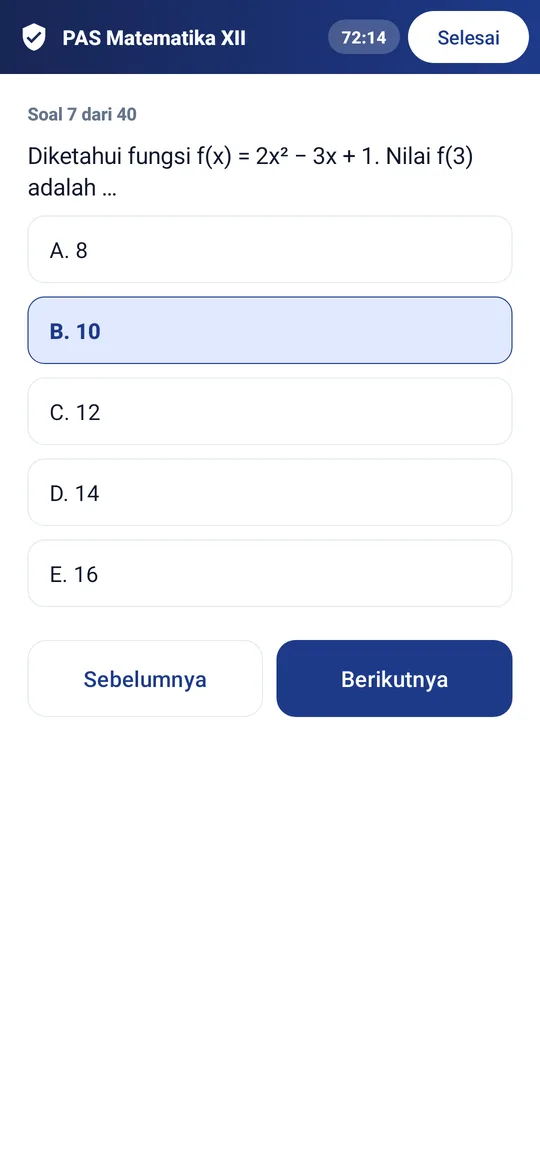
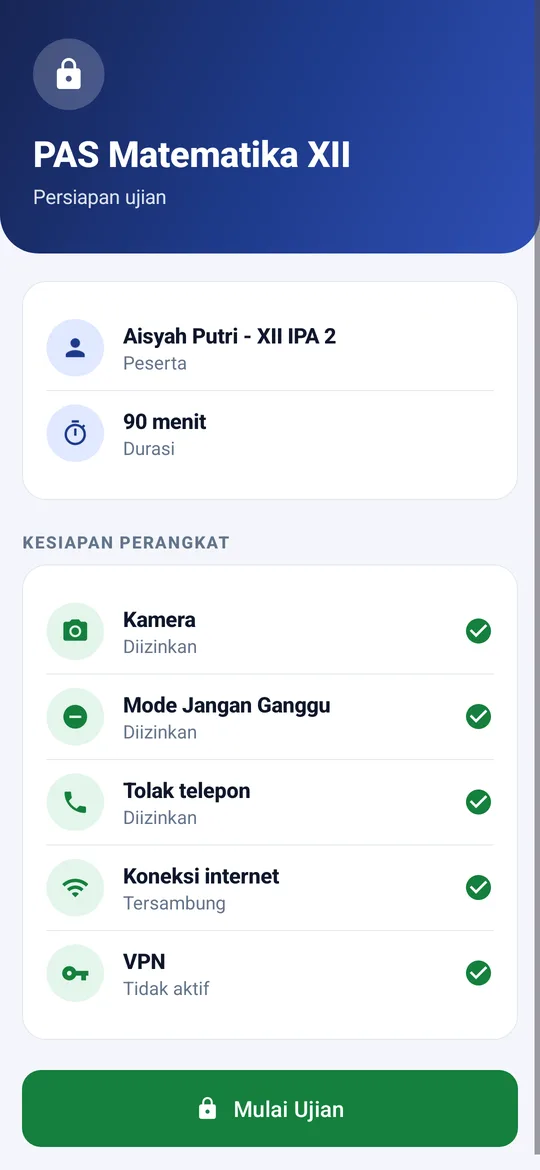
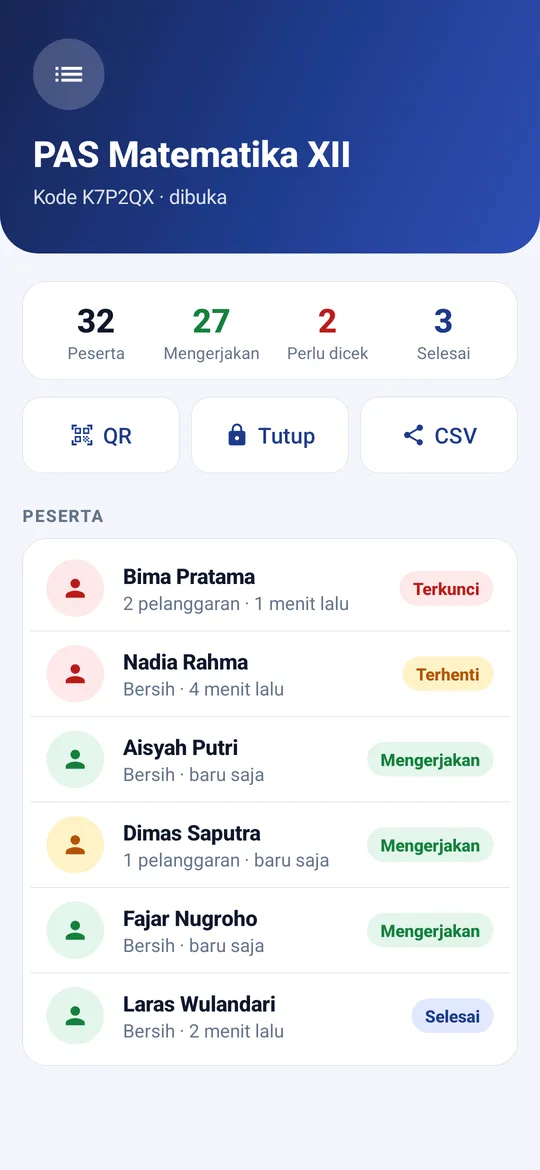
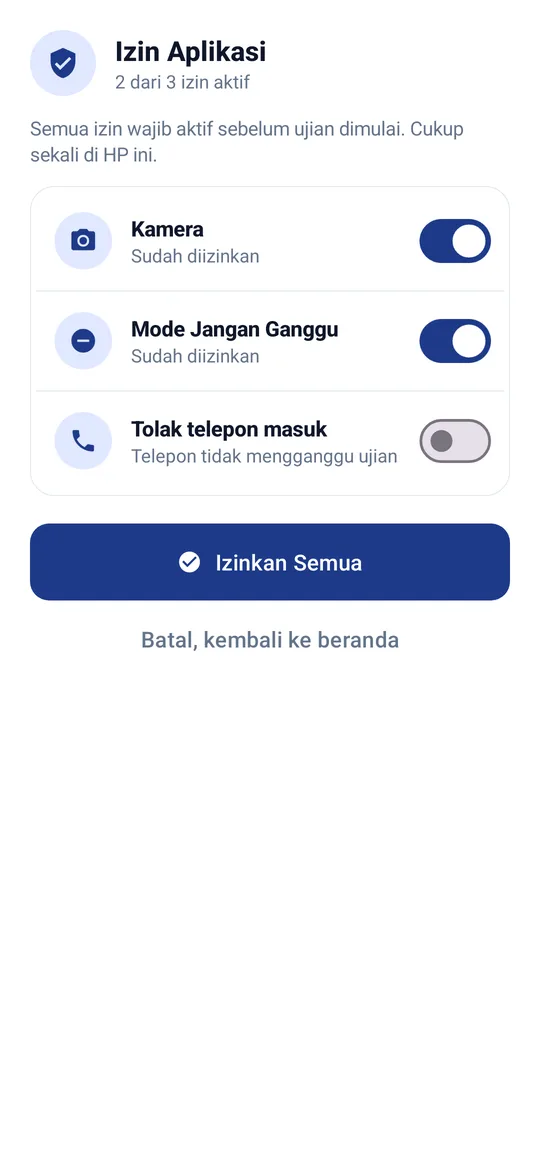
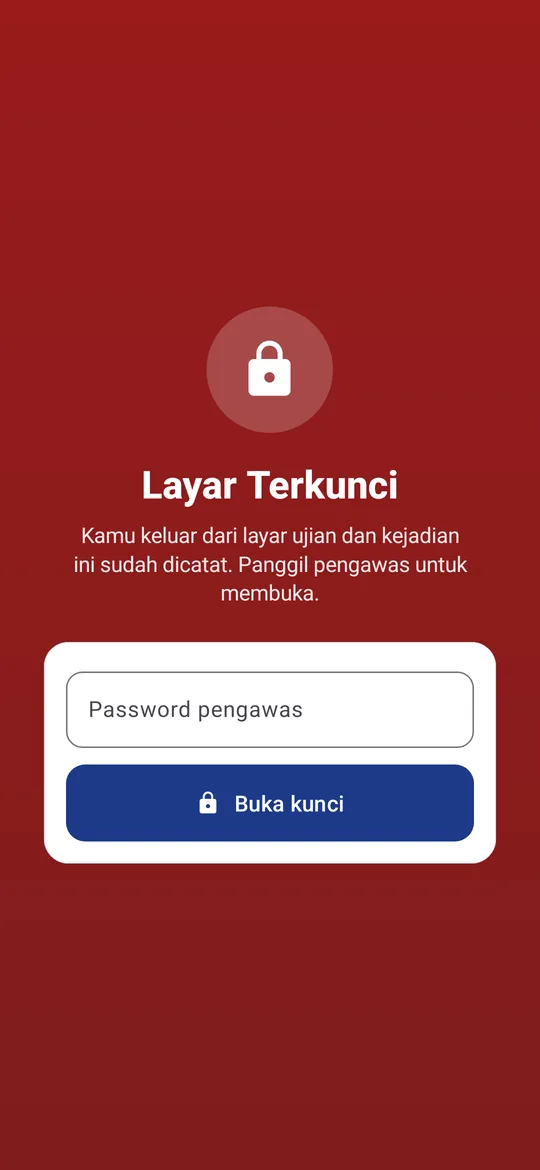
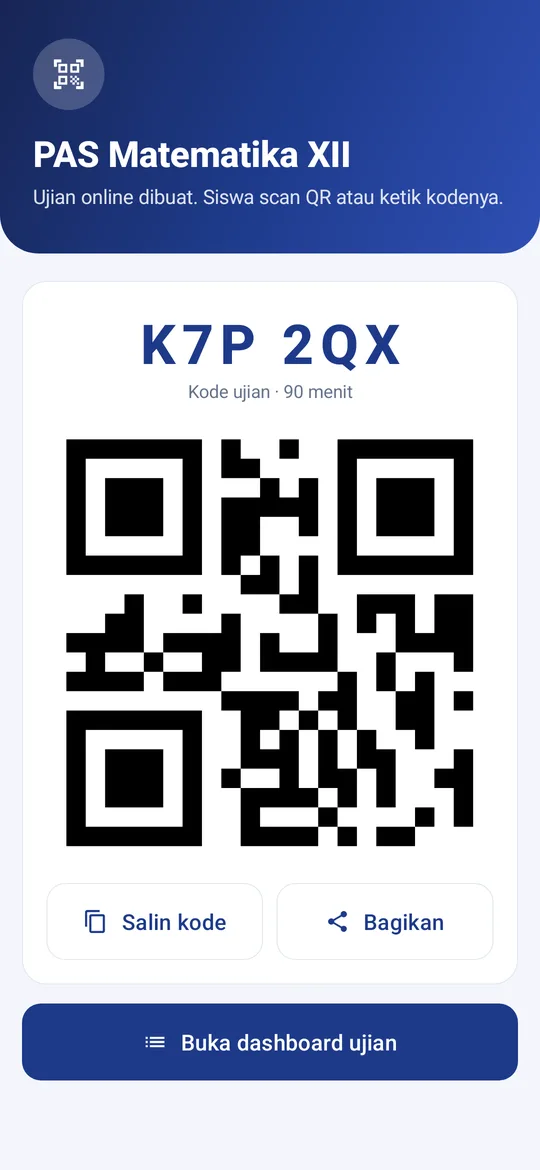
Siswa scan QR dari pengawas, dan HP langsung terkunci di halaman ujian sampai selesai. Link asli tetap rahasia, notifikasi senyap, dan setiap pelanggaran tercatat.Students scan the proctor's QR code and the phone locks to the exam page until they finish. The real link stays secret, notifications go silent and every violation is logged.


Kiri: yang biasa terjadi di ujian online lewat browser biasa. Kanan: yang terjadi di ExamShield.Left: what usually happens in online exams on a normal browser. Right: what happens in ExamShield.
Mencari jawaban di Google atau chat.Searching Google or chatting for answers.
Hanya halaman ujian. Pindah aplikasi dan split screen diblokir.Only the exam page. App switching and split screen are blocked.
Soal dibuka dan dikerjakan dari HP lain.Questions opened and answered on another phone.
Siswa hanya memegang kode. URL disamarkan di semua dialog.Students only hold a code. URLs are masked in every dialog.
Soal difoto lalu disebar ke grup kelas.Questions captured and posted to the class group.
Layar ujian tampil hitam saat direkam.The exam screen records as black.
Pesan masuk membawa jawaban atau mengganggu.Messages bring answers or break focus.
Semua senyap selama ujian, lalu dipulihkan.Everything is silent during the exam, then restored.
Link ujian hanya berpindah dari pengawas ke server. Siswa tidak pernah memegangnya.The exam link only travels from the proctor to the server. Students never hold it.
Isi link ujian, durasi, dan password keluar di ExamShield Pengawas.Enter the exam link, time limit and exit password in ExamShield Pengawas.
Server memberi kode 6 huruf. Link hanya dibuka selama ujian aktif.The server issues a 6-character code. The link is only released while the exam is open.
Tampilkan di proyektor atau kirim ke grup kelas.Show it on the projector or send it to the class group.
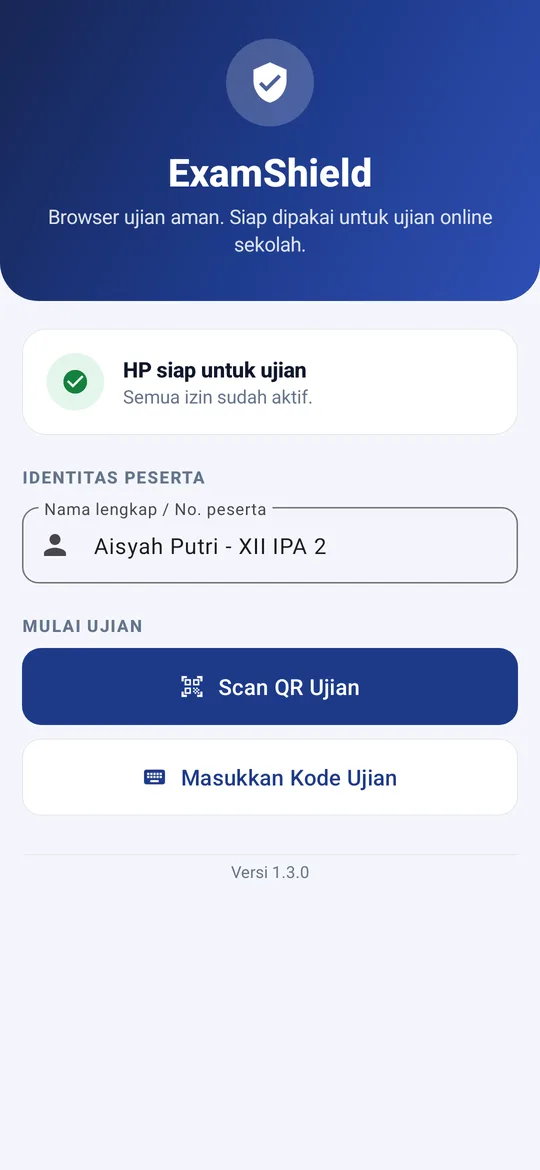
Izin, internet, dan VPN diperiksa sebelum mulai.Permissions, internet and VPN are checked before starting.
Hanya halaman ujian, tanpa notifikasi dan screenshot.Only the exam page, with no notifications or screenshots.
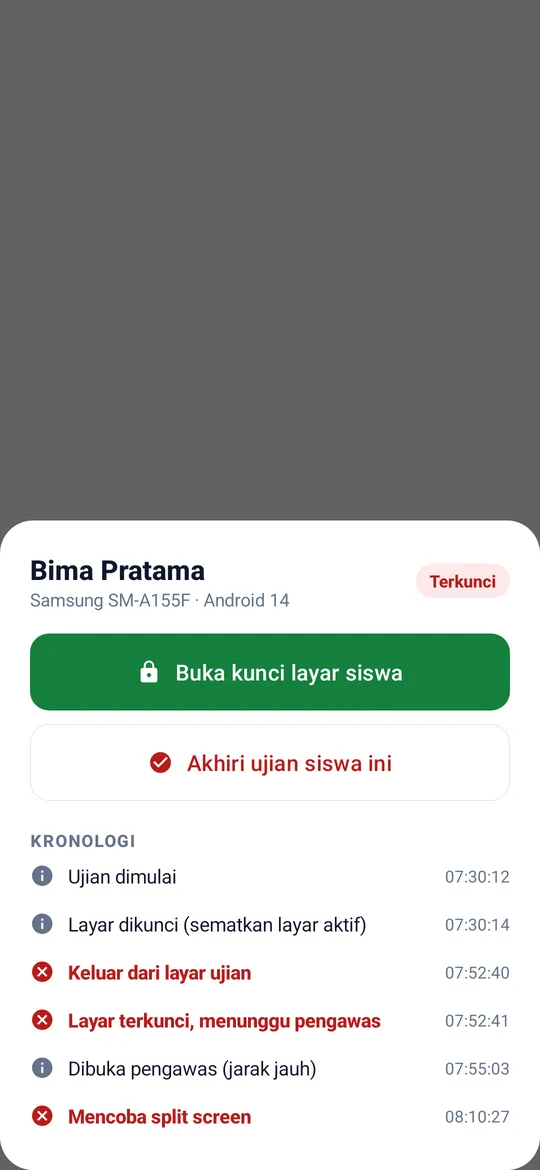
Dashboard langsung, buka kunci dari jauh, ekspor CSV.Live dashboard, remote unlock, CSV export.
Tanpa internet? Mode offline memakai QR terenkripsi, dan laporan siswa dikumpulkan dengan memindai QR hasil ujian.No internet? Offline mode uses an encrypted QR code, and student reports are collected by scanning their result QR.
Tombol Home, split screen, atau aplikasi lain.Home button, split screen or another app.
Soal tertutup sampai pengawas datang.Questions are hidden until the proctor arrives.
Lengkap dengan jam kejadian.With the exact time it happened.
Dengan password, atau dari jauh lewat aplikasi.With the password, or remotely from the app.
HP mati atau baterai habis? Ujian bisa dilanjutkan dengan izin pengawas, dan sisa waktunya tetap tersimpan.Phone died or battery ran out? The exam resumes with the proctor's approval, and the remaining time is kept.
Keduanya gratis untuk Android 8.0 ke atas.Both are free for Android 8.0 and newer.


Data pada gambar adalah contoh.Data shown in the images is sample data. The app interface is currently in Indonesian.
Data ujian online disimpan di Google Firebase di Jakarta dan hanya bisa dilihat oleh pengawas ujian tersebut. Pengawas bisa menghapus ujian beserta laporannya kapan saja.Online exam data is stored on Google Firebase in Jakarta and only that exam's proctor can see it. Proctors can delete an exam and its reports at any time.
Semua ujian berbasis web, misalnya Google Forms, Moodle, Quizizz, dan CBT sekolah. ExamShield tidak membuat soal; ExamShield mengamankan HP saat siswa mengerjakan ujian di situs sekolah.Any web-based exam, such as Google Forms, Moodle, Quizizz or a school CBT system. ExamShield does not create questions; it secures the phone while students take the exam on the school's own site.
Android 8.0 ke atas. Fitur penyematan layar bekerja di semua merek, termasuk Samsung, Xiaomi, Oppo, Vivo, dan Realme. Aplikasi menunjukkan langkah yang sesuai untuk tiap merek.Android 8.0 and newer. Screen pinning works on all brands, including Samsung, Xiaomi, Oppo, Vivo and Realme, and the app shows the right steps for each brand.
Tidak. Siswa hanya menerima kode 6 huruf. Link disimpan di server dan disamarkan di semua dialog, notifikasi, dan halaman error.No. Students only receive a 6-character code. The link is kept on the server and masked in every dialog, notification and error page.
Gunakan mode offline. Pengawas membuat QR terenkripsi, dan laporan siswa dikumpulkan dengan memindai QR di layar hasil ujian. Halaman ujiannya sendiri tetap butuh internet.Use offline mode. The proctor creates an encrypted QR code, and student reports are collected by scanning the QR on the result screen. The exam page itself still needs internet.
Kedua aplikasi gratis dan tanpa iklan.Both apps are free and have no ads.
Kami bantu persiapan ujian pertama Anda.We'll help you set up your first exam.